Adjust images in Photoshop to get the best color and allow you to change later
There are many ways to edit or adjust images in Adobe Photoshop, depending on the specific changes you want to make. Here are a few basic steps to get started:
- Open your image in Adobe Photoshop by going to File > Open and selecting the image file.
- Use the tools in the toolbar on the left side of the screen to make adjustments to the image. The Marquee tool is used for selections, the Lasso tool for freehand selections, the Magic Wand tool for selecting areas of similar color, and the Crop tool for cropping the image.
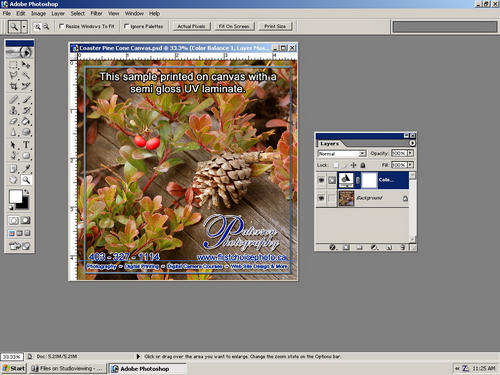
- Use the adjustment layers to make color and tonal adjustments to the image. You can find these in the Layers panel, which is usually located on the right side of the screen.
- Use the Clone Stamp tool and the Healing Brush tool to remove blemishes, or to clone one area of the image onto another. Make sure to do this using layers.
- To retouch use the Brush tool, Eraser tool and Clone Stamp tool with different settings.
- To correct lens distortion use the Lens Correction filter
- Save your image by going to File > Save, or File > Save As if you want to save a copy of the original image.
Note that these are just some basic steps and there are many more techniques and tools to learn and use in Adobe Photoshop.
The biggest questions I am asked is what is the best way to color adjust images in Photoshop?
Question: How do you do color and density corrections in Photoshop?
Answer: I use adjustment layers whenever possible. Why? If you use adjustment layers then save the file as a PSD you can go back and see what you have done. You can make small adjustments from the last place that you adjusted without starting over. And finally if you get one image looking great and you have a number of others that need the same adjusting then you can drag the adjustment layer to other images.
So how do I do this?
Adjust images in Photoshop step by step
1 – Open your image
2 – Select Adjustment layer (see picture below)

3 – Make your adjustment

4 – Select okay
5 – When done save as a PSD file so that next time you open it the layers will still be accessible and adjustable.
It is as easy as that!